
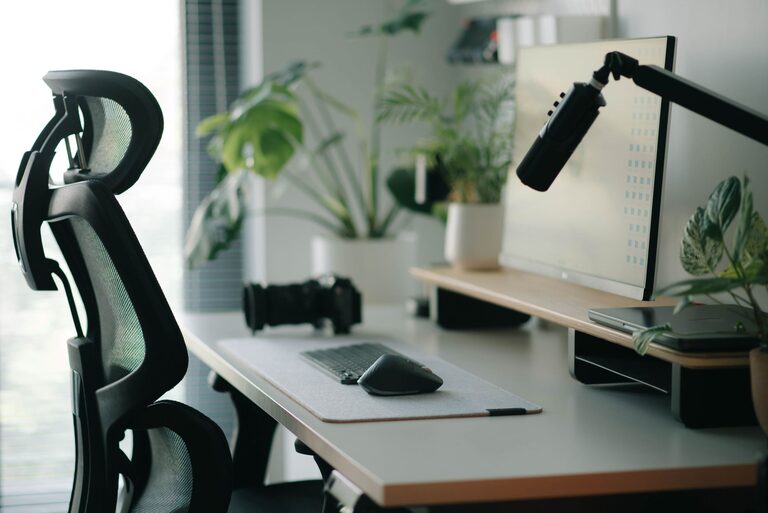
Creating a workspace that promotes both focus and comfort is key to maintaining productivity and well-being throughout your workday. Whether you work from home or in an office, a thoughtfully arranged desk setup can reduce distractions, prevent discomfort, and help you stay motivated. This guide covers essential desk setup tips that balance ergonomics with practicality, so you can create an ideal environment tailored to your needs.
Why Your Desk Setup Matters
Your desk setup affects more than just how your workspace looks. It impacts your posture, concentration, and energy levels. An uncomfortable chair or a cluttered surface can cause fatigue, back pain, and loss of focus. Conversely, a well-planned setup encourages good posture, reduces strain, and helps maintain your mental clarity throughout the day.
Choosing the Right Desk and Chair
Desk Height and Space
Start with a desk that fits your space and offers enough surface area for your work essentials without feeling crowded. A standard desk height is about 28 to 30 inches, but the ideal height depends on your body size. Your forearms should rest comfortably on the desk with elbows at a 90-degree angle.
Consider a desk with adjustable height if you want the option to switch between sitting and standing during the day. Standing desks can improve circulation and reduce sedentary time but use them thoughtfully to prevent fatigue.
Ergonomic Chair
Investing in a good ergonomic chair is crucial for comfort. Look for these features:
– Adjustable seat height to keep feet flat on the floor
– Lumbar support to maintain the natural curve of your lower spine
– Adjustable armrests to reduce shoulder strain
– A comfortable, breathable seat cushion
Remember to sit back fully against the chair and avoid slouching.
Monitor Placement and Screen Setup
Position your monitor directly in front of you, about an arm’s length away. The top of the screen should be at or slightly below eye level so you can look straight ahead without tilting your head.
If you use multiple screens, arrange them so you can easily switch your gaze without excessive head movement. Consider a monitor stand or adjustable arm to fine-tune the height and angle.
Organizing Your Desk for Efficiency
Declutter Regularly
A clutter-free desk reduces distractions and helps you focus. Keep only the essentials on your desk, such as your computer, a notepad, and a pen. Store other items in drawers, shelves, or organizers.
Use Desk Organizers
Use trays, pencil holders, and drawer dividers to keep small items tidy. Cable management tools like clips or sleeves help prevent tangled wires and free up desk space.
Prioritize Essentials
Keep frequently used items within arm’s reach to minimize interruptions when working. Less-used materials can be stored away to maintain a clean look.
Lighting for Comfort and Focus
Natural light is ideal for reducing eye strain and elevating mood. Position your desk near a window if possible, but avoid glare on your screen. Use adjustable blinds or curtains to control the light level throughout the day.
Add a desk lamp with adjustable brightness for evening work or cloudy days. Choose light bulbs emitting soft white light to create a warm and inviting atmosphere.
Incorporating Personal Touches
Adding personal items like photos, plants, or artwork can make your workspace feel welcoming and inspire creativity. Choose items that uplift you but keep the decorations minimal to avoid clutter.
Indoor plants, in particular, can improve air quality and introduce a calming effect.
Encouraging Movement and Breaks
Even with the most comfortable setup, sitting for extended periods isn’t ideal. Remember to take regular breaks—stand, stretch, or walk around every 30 to 60 minutes.
If space allows, keep a yoga mat or stretching aids nearby. Movement helps maintain circulation and prevents stiffness.
Tips for Managing Noise and Distractions
If noise is an issue, consider noise-cancelling headphones or white noise machines to create a quieter environment. Inform household members or coworkers about your work hours to minimize interruptions.
Using apps that block distracting websites or track your focus can also support productivity.
Final Checklist for Your Ideal Desk Setup
– Desk and chair adjusted to fit your height and promote good posture
– Monitor positioned at eye level and at a comfortable distance
– Clutter-free workspace with organized tools and supplies
– Balanced lighting using natural and artificial sources
– Personal items that motivate without creating clutter
– Strategies in place for movement breaks and minimizing distractions
—
By investing a little time and thought into your desk setup, you can create a space that supports both your comfort and focus. Small changes can lead to big improvements in how you work and feel throughout your day. Start with these tips and adjust your environment until it feels just right for you.