
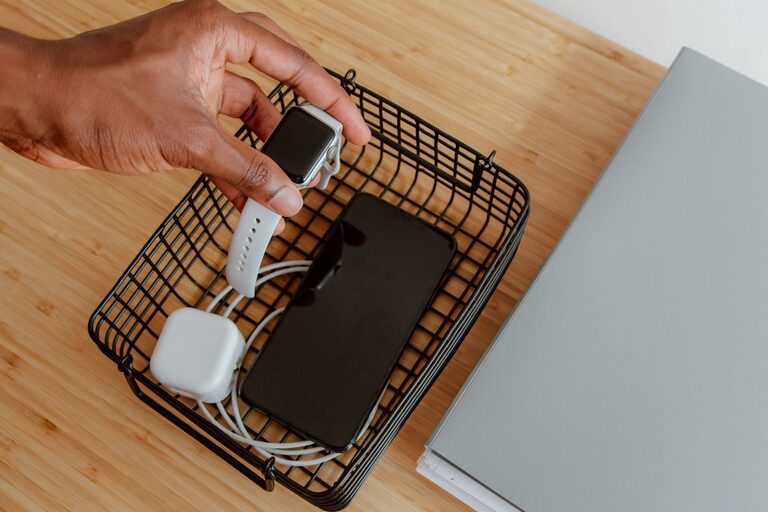
Setting up a dedicated charging station for your devices can transform your daily routine. Whether it’s smartphones, tablets, laptops, or wireless accessories, having a specific spot to recharge keeps your devices powered and your space clutter-free. In this guide, we’ll walk you through the basics of setting up an effective charging station at home or in the office.
Why You Need a Charging Station
With multiple devices in most households, charging cables tend to get tangled or scattered around. A charging station helps by:
– Centralizing power sources
– Reducing cable clutter
– Protecting devices from accidental damage
– Making it easier to find devices when needed
Step 1: Choose the Right Location
Start by picking a spot where you usually use or store your devices. Popular places include:
– A desk or workspace
– A living room side table
– A kitchen counter
– A nightstand in the bedroom
Look for a location near electrical outlets to avoid running long extension cords.
Step 2: Select a Charging Hub or Pad
Depending on how many devices you want to charge simultaneously, consider these options:
– Multi-port USB chargers: These allow you to plug several USB cables into one device, minimizing wall outlet clutter.
– Wireless charging pads: Ideal for Qi-enabled devices like many smartphones and earbuds.
– Charging docks: Designed for specific devices such as smartwatches or tablets.
Make sure the charger supports fast charging if your devices are compatible.
Step 3: Organize Your Charging Cables
An organized charging station depends on neat cable management. Here’s how to keep cables tidy:
– Use cable clips or holders to keep cords from tangling.
– Label cables if you have several similar ones.
– Coil extra cable length neatly using velcro ties or twist ties.
– Consider a charging station with built-in cable management features.
Step 4: Choose a Surface or Container
You can select from various types of surfaces or containers to hold your devices while they charge:
– A simple tray to keep cables and devices in one place
– A wooden or plastic docking station with designated slots
– A drawer organizer modified to accommodate chargers and cables
– Popular commercially available charging stations with compartments
Ensure good airflow to avoid overheating while devices charge.
Step 5: Power Management and Safety Tips
To keep your charging station safe and efficient:
– Don’t overload power outlets; use surge protectors for added safety.
– Avoid placing devices on soft surfaces like pillows or blankets.
– Regularly inspect cables and chargers for wear and tear.
– Keep liquids away from the station to prevent accidents.
Step 6: Personalize Your Station
Make the charging station a part of your decor by adding:
– Decorative trays or cases
– Small plants or decorative items nearby
– Color-coordinated cables and accessories
– Labels or tags for easy identification
Maintenance and Best Practices
– Clean the area regularly to remove dust.
– Rotate charging cables if you notice uneven wear.
– Unplug devices when fully charged to extend battery life.
– Update chargers as technology changes to ensure compatibility.
Conclusion
Creating a charging station is a simple project that can save time and reduce clutter. By selecting the right location, chargers, and organizing cables effectively, you can maintain a neat and functional space for powering all your devices. Start small and customize the setup to fit your needs and style!
—
With these steps, you’re well on your way to a tidy, efficient charging station that keeps your devices ready to use anytime.